Look up callsigns and QRZ.com information in the app. Upload contacts to your QRZ logbook and review confirmations with the required account and permissions.
Software for amateur radio
Radio Digital Resources
Your station, your way.
Log contacts, follow DX activity and POTA/SOTA activations, and manage confirmations and QSL cards. Arrange RDR tools in a configurable workspace that fits the way you operate.
01 / Logging and workspace
Keep the tools you need in view.
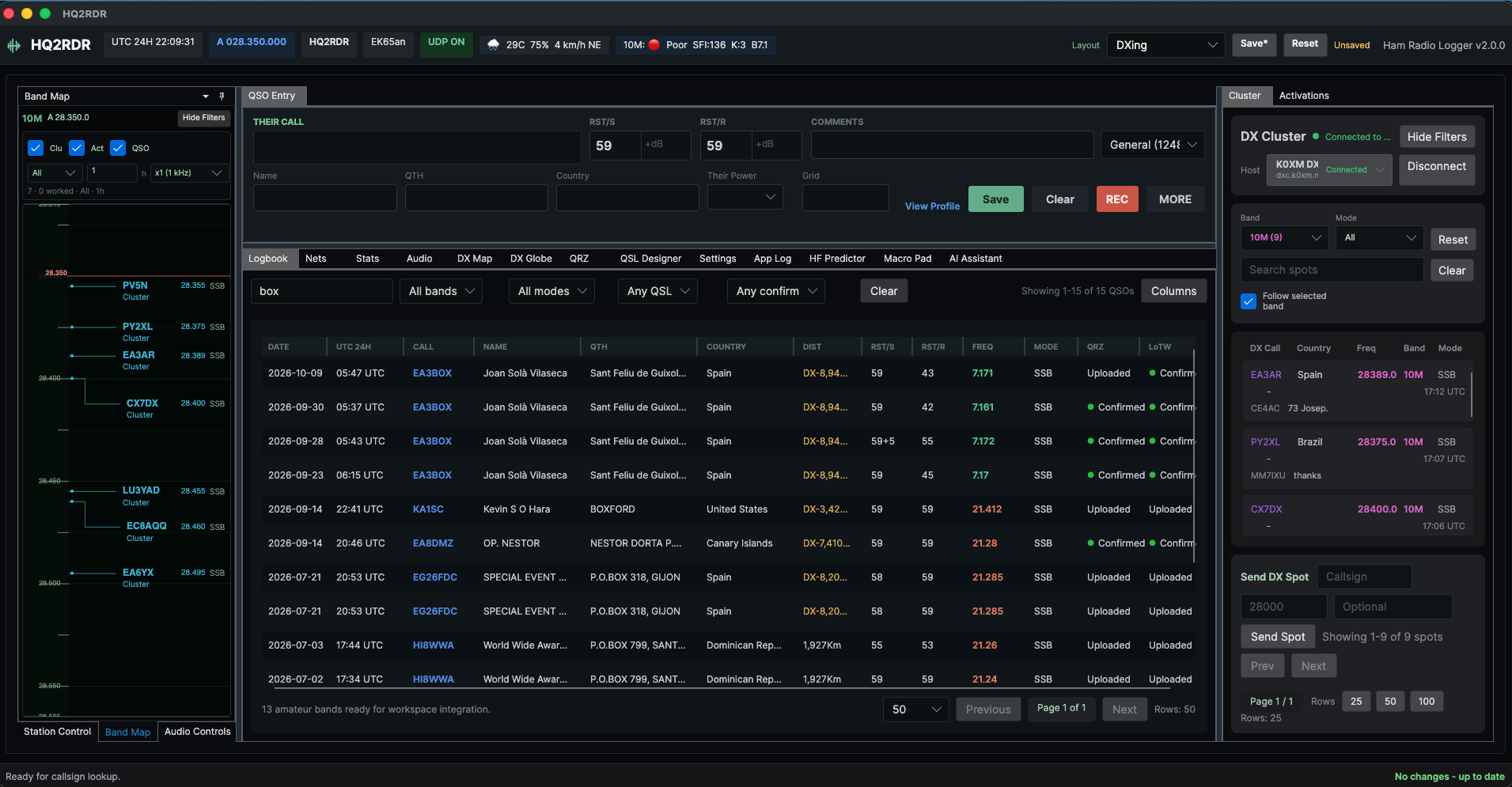
Arrange panels for your session. Keep QSO entry, the logbook and DX activity together, or switch layouts to review contacts and confirmations.
- QSO entry and multiple logbooks for separate activities.
- Callsign history, filters, editing and duplicate review.
- ADIF import and export, and automatic logging from WSJT-X, JTDX and MSHV.
- Rearrangeable panels and layout profiles.
Station context
Station Control brings together frequency, mode, VFO, power, radio and antenna. CAT integration supports FLRig and rigctld-compatible connections. Configure and check the connection with your equipment.
02 / Activity and reach
Find activity. Explore your contacts.
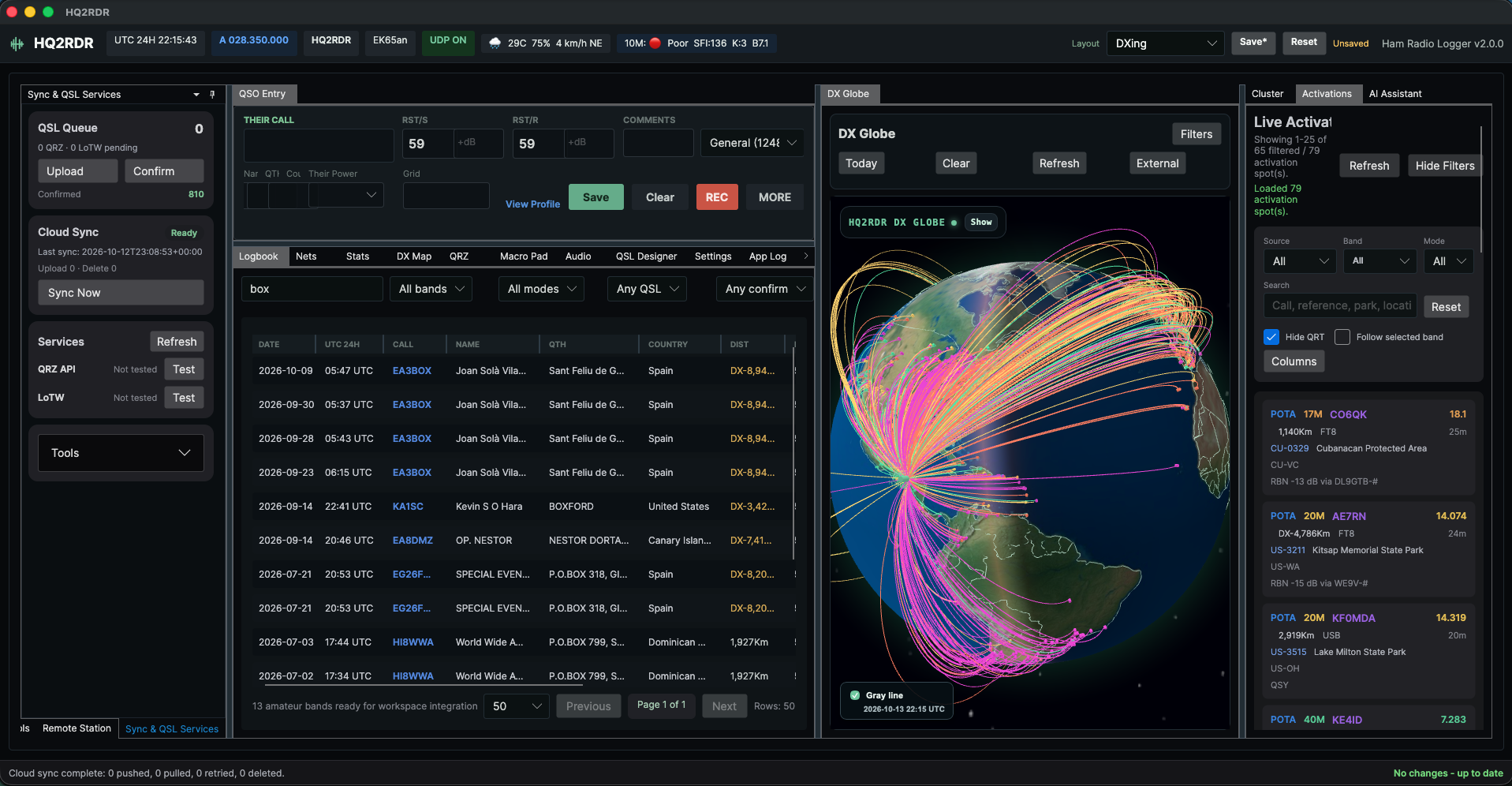
Follow the DX Cluster and POTA/SOTA activations alongside your logbook. Maps and statistics help you review where you have operated and what you have confirmed.
- DX Cluster with filters and reconnection.
- POTA/SOTA activations and park references.
- Statistics by band, mode, country, confirmation and equipment.
- A 2D map and 3D globe for contact visualization.
03 / QRZ.com and LoTW
Your contacts and their confirmations.
RDR connects QRZ.com and Logbook of The World workflows to look up information, upload contacts and retrieve confirmations.
Logbook of The World
Upload contacts to LoTW using TrustedQSL and retrieve confirmations for your logbook. Credentials and TrustedQSL configuration are required.
Both integrations require connectivity and authorized access to the corresponding services.
After the contact
Confirm, share and operate again.
QSL cards with your own design
Create templates, adjust fields, preview cards and generate JPG files. Email delivery requires configuring your email service.
Nets and control sessions
Browse regional schedules, record participation and organize net control sessions with reports. Includes a catalog of Latin American nets.
04 / Station assistant
Ask about your activity in your own words.
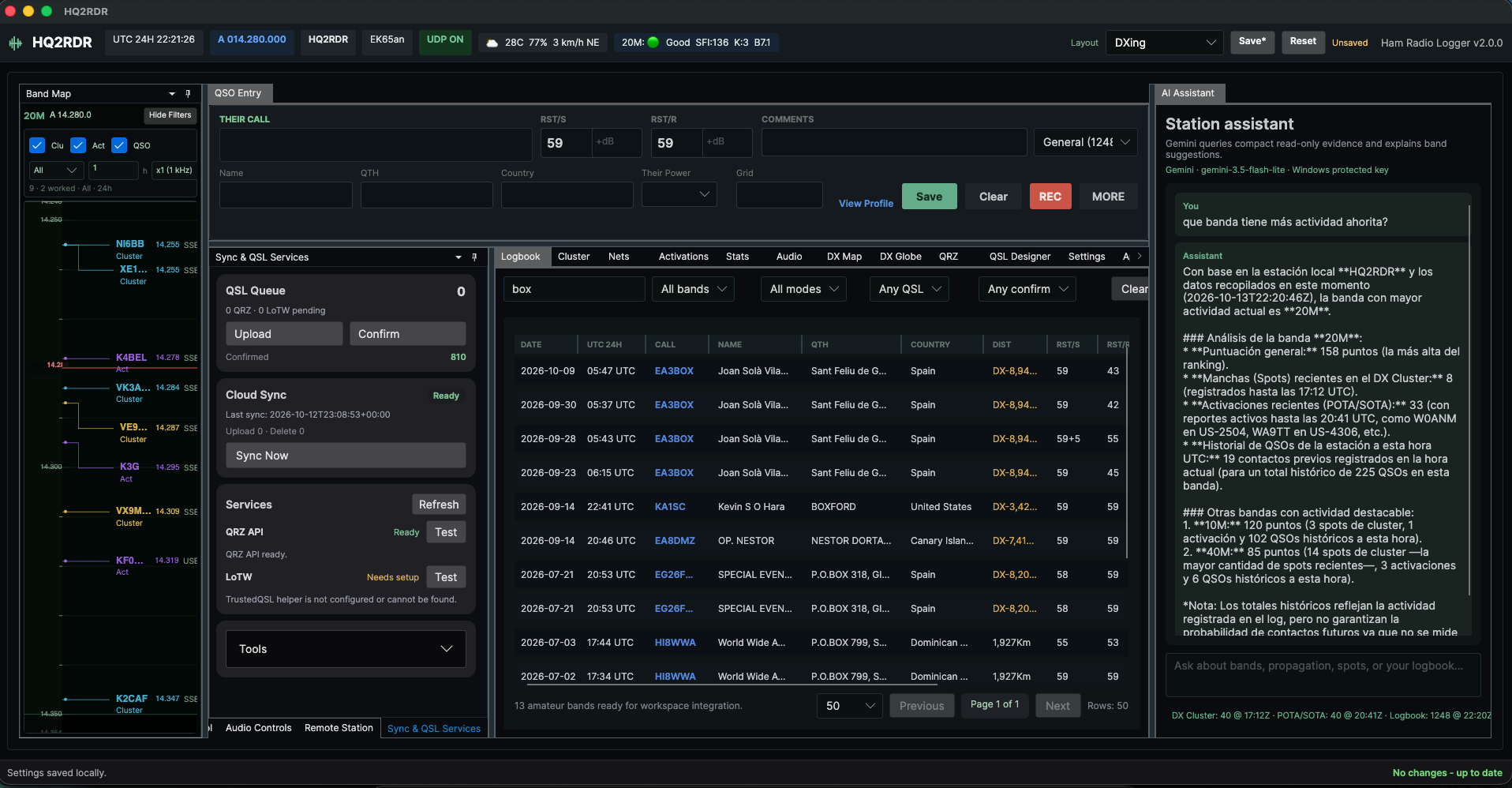
The station assistant supports queries about activity, history, statistics and propagation using configured Ollama or Gemini providers. Its tools read information; they do not operate the radio autonomously.
Assistant configuration
Ollama needs a configured service and model. Gemini requires internet access and an API key. Protected key storage uses Windows Credential Manager. Model responses provide guidance and do not guarantee propagation conditions or contacts.
Before installing
What works offline?
The logbook uses local SQLite storage. Live activity, QRZ.com and LoTW queries and uploads, web resources, updates and cloud synchronization need access to their corresponding services.
What does optional cloud include?
Cloud Sync requires a validated license and internet connectivity. It synchronizes QSO contacts, pending deletions, logbook types and contest settings. Recordings and templates are not included. Ask about license terms before subscribing.
Which platforms are available?
Public downloads are available for Windows and Linux x64. Audio and voice macros use Windows APIs; equivalent functionality is not advertised for Linux. macOS development screenshots exist, but no verified public package is available for that platform.
Do the screenshots match the stable download?
These images show the Avalonia interface running in development. The version label and some improvements may differ from the stable download. Review the published release notes for its scope.
05 / RDR
Changelog
Release changes from the official README. Updates automatically when changes are published in the repository.
Original release notes in English.
Read README on GitHubv2.6.0
- Added CQ WW SSB totals, per-band multipliers, contest duplicate rules, spot multiplier hints, last-QSO score gains and received-zone entry focus.
- Added cross-device logbook type and contest configuration sync, including empty logbooks and settings-only edits.
- Improved ADIF/digital logging, CAT controls and diagnostics, automatic Cluster connection, Band Map tuning, gray line and map filters.
- Added the compact QRZ browser workspace, preserved LoTW confirmations, Club Log ADIF uploads, RX audio recording and expanded net-control views/exports.
- Updated the app branding to RDR while preserving compatible data locations and installer filenames.
v2.5.0
- Added regional net-control, report, participation, and bundled schedule workflows.
- Added PTT voice macros, per-macro shortcuts, the Avalonia PTT shortcut, active-band cluster follow, selected-QSO spot preparation, LoTW resync, configurable CAT polling, FT-710 controls, and WAE DX SSB QTC support.
- Added globe date-layout, map-route, and compact-filter improvements, over-S9 signal reports, and portable callsign country recognition.
- Added Ollama/Gemini station assistance, bounded logbook search, conditional provider settings, and compact POTA-oriented QSO Entry/MORE panels.
- Anchored docking previews to the cursor and removed the retired legacy Python desktop application.
v2.4.0
- Made saved recordings actionable and added a complete CQ voice macro workflow.
- Added a dockable, colored, responsive Macro Pad and improved audio meter scaling.
- Moved persistent audio-device routing into Settings and stabilized Audio control interaction.
- Added responsive wide and compact DX Cluster spot layouts.
- Simplified the QRZ workspace and corrected VFO digit wheel targeting.
v2.3.0
- Compacted DX Cluster and DX Globe controls for narrow dock layouts.
- Made the UTC hourly activity chart responsive and fully visible.
- Improved SSB mode normalization and conservative phone-segment inference.
- Added arbitrary correspondent power entry and active-VFO Cluster spot highlighting.
- Restored the integrated English and Spanish help guides in packaged builds.
v2.2.1
- Protected saved workspace layouts from stale or concurrent settings writers.
- Added profile-level layout merging and isolated intentional reset behavior.
- Added atomic configuration replacement and
config.json.bakrecovery.
v2.2.0
- Route/date-aware HF solar geometry and independent antenna suitability guidance.
- Actionable duplicate-QSO review with stored unique-ID format labels.
- Confirmed single-copy deletion through the existing Cloud Sync queue.
- Time-aware duplicate matching that preserves legitimate repeat contacts.
v2.1.0
- Interactive route-based HF propagation prediction and 24-hour band guidance.
- Linux x64 portable release packaging and update metadata.
- Native .NET Net Manager workflows.
- True desktop UI scaling and compact-screen improvements.
- Expanded DX Map, DX Globe, Station Control, and contest-entry workflows.
v1.6.4
- Resolution-independent QSL Designer layouts with boxed field editing.
- Uniform grouped QSL font sizing and centered text rendering.
- Compact JPG QSL output with proportional resizing for smaller email attachments.
- Logbook context actions for generating and sending QSL cards.
- Correct MIME metadata for JPG QSL email attachments.
v1.6.3
- RhemaCode branding and support contact updates.
- Official English and Spanish product page links.
- Refreshed user guides for the 1.6.x workbench and logging workflow.
- Release documentation points users to RhemaCode support and product pages.
v1.6.2
- New compact QSO capture layout.
- New previous-contact summary in MORE.
- More focused, shorter MORE panel for contest, activation, park, QRZ, and history context.
- Improved visual alignment of callsign, RST, and comments fields.
- Public release README and screenshots are now generated from versioned documentation.
v1.6.1
- Rebuilt DX Map as a live Leaflet view without periodic full-page reloads.
- Added DX Map filters for band, mode, and date/time.
- Improved DX Map hover details with callsign, band, mode, date/time, grid, location, comment, and distance.
- Fixed gray-zone rendering and short-path drawing across wrapped map views.
- Added MIC, RX, and PLAY audio meters in the Audio tab and QSO action bar.
- Added configurable columns for logbook and DX Cluster tables.
- Improved activation and cluster table usability.
v1.6.0
- Introduced the stable 1.6 workbench with fixed QSO entry and integrated workspace tabs.
- Added the Station Control dock for CAT, radio, antenna, rig status, and quick band controls.
- Expanded audio recording workflows.
- Improved POTA/SOTA live activation views.
- Added integrated bilingual help.
- Promoted recent beta stability and layout improvements into the stable channel.